Formatter JSON Terbaik 2026: Mana yang Benar-Benar Ampuh, Mana yang Harus Dihindari
Anda menempelkan respons API ke formatter JSON untuk menelusuri sebuah payload, lalu tiga hari kemudian data Anda muncul di sebuah laporan kebocoran. Kedengarannya dramatis, tetapi di tahun 2026 ini adalah risiko nyata. Pada Maret 2026, beberapa ekstensi formatter JSON populer terbukti menyisipkan adware dan melacak data pengguna. Memilih alat yang tepat bukan lagi sekadar soal kenyamanan — ini adalah keputusan keamanan.
Formatter JSON adalah alat developer yang mengubah data mentah dan termampatkan menjadi struktur yang mudah dibaca menggunakan indentasi dan penyorotan sintaks. Demi keamanan maksimal di 2026, prioritaskan alat sisi klien, perintah terminal seperti jq, atau ekstensi open-source yang sudah terverifikasi untuk mencegah kebocoran data sensitif.
Cara Memilih Formatter JSON yang Aman di 2026
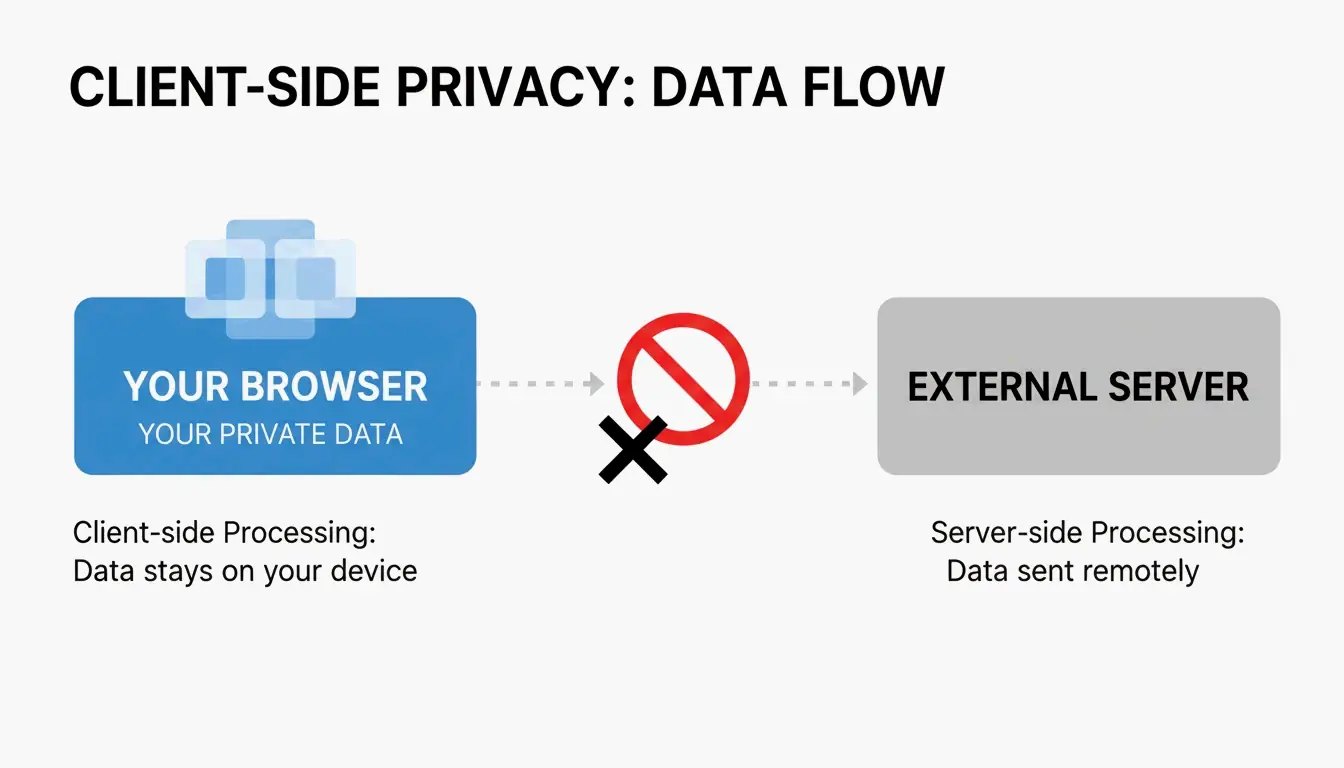
Keamanan adalah persyaratan dasar, bukan bonus. Standar emasnya adalah pemrosesan sisi klien — data JSON Anda tetap berada di dalam browser dan tidak pernah dikirim ke server eksternal. Saat Anda menempelkan API key, data pengguna, atau payload konfigurasi internal, perbedaan ini sangat penting.
Dua Fitur yang Benar-benar Anda Butuhkan
Selain keamanan, cari dua fitur yang mempercepat proses debugging:
- Penyorotan Sintaks — Tipe data diberi kode warna (hijau untuk string, oranye untuk angka) sehingga Anda dapat memindai struktur sekilas.
- Tampilan Pohon yang Bisa Dilipat — Lipat/bentangkan objek dan array bersarang untuk menavigasi struktur dalam tanpa harus menelusuri dinding teks panjang.
Peringatan 10MB
Seperti yang dicatat oleh JSON Formatter & Viewer, sebagian besar formatter berbasis browser menemui hambatan pada sekitar 10 MB. Melewati batas itu, tab akan macet. Alat profesional akan menyarankan Anda beralih ke tampilan teks mentah atau pemroses CLI lokal untuk file besar.
Krisis Ekstensi 2026: Apa yang Terjadi dan Apa yang Digunakan Sekarang
Pada Maret 2026, komunitas developer menemukan bahwa beberapa ekstensi formatter JSON populer telah beralih ke model adware. Laporan di Hacker News mengungkap bahwa salah satu ekstensi yang banyak digunakan (v2.1.14) mulai menyisipkan iklan ke halaman checkout dan melacak lokasi pengguna tanpa persetujuan.
Akar masalahnya: ekstensi memanfaatkan content script Manifest V3. Meskipun Manifest V3 dirancang untuk meningkatkan keamanan dengan membatasi tugas latar belakang, hal itu tidak mencegah ekstensi menggunakan content script untuk memanipulasi data halaman web atau menampilkan permintaan donasi yang mengganggu.
Lebih dari 2 juta pengguna terdampak, menurut data dari ChromeBoard dan utas komunitas. Pengembang asli dari salah satu proyek yang diretas menyatakan dalam sebuah GitHub README: “Saya tidak lagi mengembangkan JSON Formatter sebagai proyek open source. Saya beralih ke model komersial sumber tertutup.”
Alternatif yang Aman
JSON Alexander telah menjadi pengganti andalan komunitas. Dibuat oleh Wes Bos, seorang developer web ternama, alat ini dirancang sebagai alternatif yang bersih, ringan, dan sepenuhnya open-source. Tanpa pelacakan, tanpa adware, hanya pemformatan.
FormatArc adalah opsi tepercaya lainnya. Menurut FormatArc, alat mereka menjamin pemrosesan sisi klien — mengeklik “Format” menjalankan fungsi JavaScript di browser Anda, bukan permintaan POST ke server jarak jauh. Anda bisa memverifikasinya sendiri dengan membuka tab Network browser Anda; alat yang aman akan menunjukkan nol lalu lintas keluar selama pemrosesan.
Toolkit Developer: Metode CLI dan Native
Jika Anda ingin kendali penuh, terminal tak tertandingi. Inilah alat-alat yang tidak pernah mengirim data diam-diam ke rumah.
jq: Standar Industri
jq adalah pisau serbaguna untuk pemrosesan JSON. Saring, ubah, dan percantik data tanpa menyentuh browser.
echo '{"id":1,"name":"Alice","active":true}' | jq .

# {
#   "id": 1,
#   "name": "Alice",
#   "active": true
# }

# Extract specific fields
echo '{"user":{"name":"Alice","role":"admin"}}' | jq '.user.name'
# Output: "Alice"

# Format a file
jq . input.json > formatted.json
Metode Native: Tanpa Dependensi
JavaScript / Node.js:
// Built-in, no install needed
const data = { id: 1, name: "Alice" };
const formatted = JSON.stringify(data, null, 2);
console.log(formatted);
Python:
# Pipe input directly, no install needed
echo '{"id":1}' | python3 -m json.tool

# Output:
# {
#     "id": 1
# }

# Format a file
python3 -m json.tool input.json > formatted.json
Node.js (npx):
# One-off formatting without permanent install
npx json-beautifier input.json
Memperbaiki Error Parse JSON yang Umum
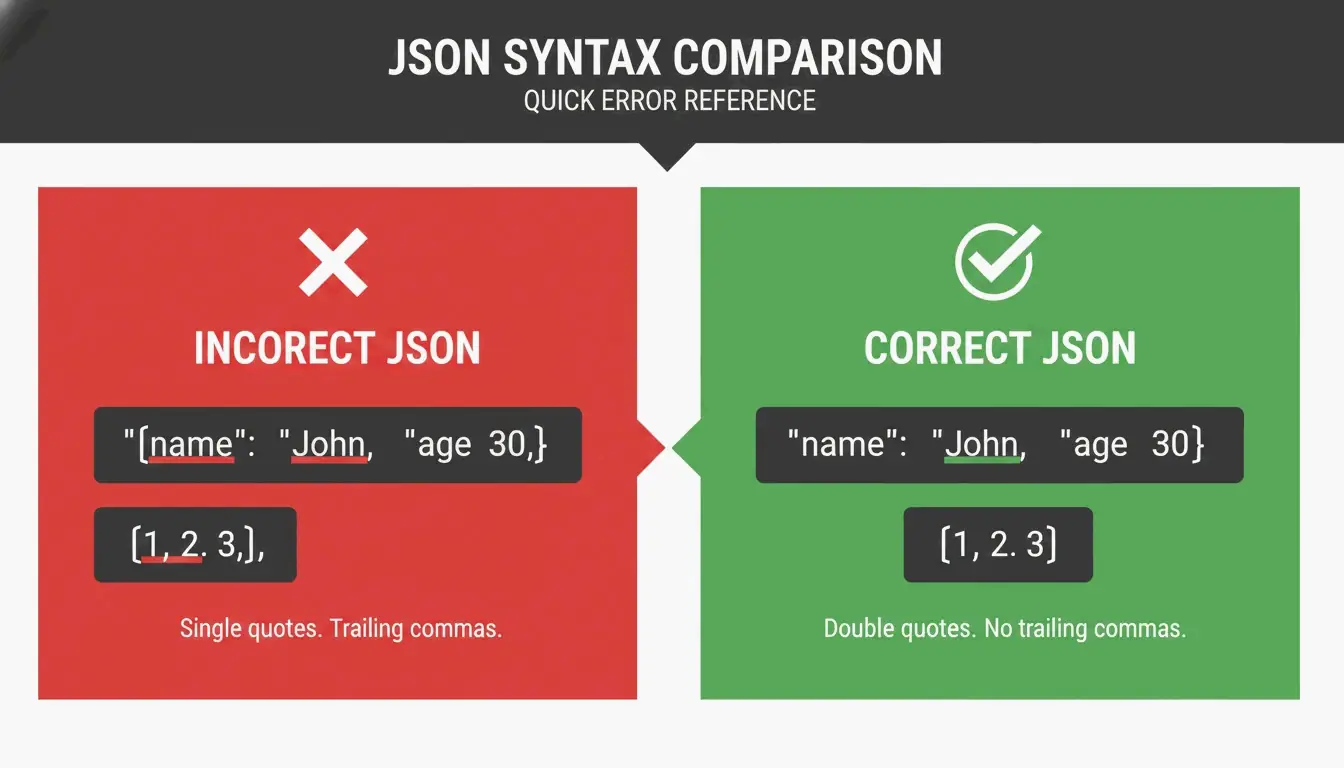
Bahkan formatter terbaik pun tidak akan bekerja jika JSON Anda rusak. Berikut adalah tiga “Pembunuh JSON” paling umum dan cara memperbaiki masing-masing.
Pembunuh 1: Koma Tambahan di Akhir
// BROKEN
{
  "name": "Alice",
  "role": "admin",   // <-- this comma is illegal
}

// FIXED
{
  "name": "Alice",
  "role": "admin"
}
Pembunuh 2: Kutip Satu
// BROKEN
{'name': 'Alice'}

// FIXED
{"name": "Alice"}
Pembunuh 3: Key Tanpa Kutip
// BROKEN
{name: "Alice"}

// FIXED
{"name": "Alice"}
Daftar Pemeriksaan Debugging
Sebelum Anda menekan format, jalankan tiga pemeriksaan ini:
- Apakah ada koma ekstra sebelum
}atau]? - Apakah semua kutip satu sudah diganti dengan kutip dua?
- Apakah setiap key sudah dibungkus dengan kutip dua?
Jika masih gagal, gunakan validator seperti JSON Formatter Pro yang memberi Anda baris dan posisi karakter yang tepat. Kesalahan mungkin berupa karakter “hantu” yang tak terlihat — zero-width space atau BOM yang menyusup dari sebuah copy-paste.
Perbandingan Singkat: Lanskap Alat 2026
| Alat | Tipe | Sisi Klien | Biaya | Paling Cocok Untuk |
|---|---|---|---|---|
| jq | CLI | N/A (lokal) | Gratis | Alur kerja terminal, scripting |
| JSON Alexander | Ekstensi browser | Ya | Gratis | Pemformatan cepat di browser |
| FormatArc | Alat web | Ya | Gratis | Pemformatan sekali pakai di browser |
| python3 -m json.tool | CLI (bawaan) | N/A (lokal) | Gratis | Pipe cepat, tanpa instalasi |
| JSON.stringify() | Native JS | N/A (lokal) | Gratis | Pengembangan Node.js |
Kesimpulan
Di tahun 2026, memilih formatter JSON adalah keputusan keamanan. Gelombang ekstensi browser yang berubah menjadi adware baru-baru ini membuktikan bahwa alat “gratis” bisa menyimpan biaya tersembunyi. API key dan payload internal Anda layak mendapatkan yang lebih baik.
Rencana aksi Anda: Audit ekstensi yang saat ini terpasang. Hapus alat sumber tertutup yang baru-baru ini mengubah kebijakan privasinya. Untuk pekerjaan harian, gunakan jq di terminal atau alat open-source yang sudah terverifikasi komunitas seperti JSON Alexander. Data Anda tetap di tempatnya semestinya — di mesin Anda.
FAQ
Apakah aman menempelkan data API sensitif ke formatter JSON online?
Hanya jika alat menggunakan 100% pemrosesan sisi klien, artinya data Anda tetap di browser dan tidak pernah dikirim ke server. Periksa kebijakan privasi alat tersebut dan pantau log jaringan Anda. Untuk lingkungan keamanan tinggi, alat CLI lokal seperti jq adalah standar yang direkomendasikan.
Bagaimana cara memperbaiki Error Parse JSON yang disebabkan oleh koma tambahan atau kutip satu?
JSON mengharuskan kutip dua untuk semua key dan nilai string; kutip satu selalu memicu error. Hapus koma yang muncul setelah elemen terakhir dalam array atau objek. Gunakan validator seperti FormatArc atau JSON Formatter Pro untuk menyoroti baris dan karakter spesifik tempat error terjadi.
Apa saja alternatif command-line terbaik untuk formatter JSON berbasis GUI?
Standar industri adalah jq, yang menangani baik pemercantikan maupun penyaringan. Modul json.tool bawaan Python adalah alternatif tanpa instalasi yang sangat baik. Developer Node.js dapat menggunakan npx json-beautifier untuk pemformatan lokal yang cepat tanpa antarmuka grafis.
Bagaimana cara mengetahui apakah sebuah ekstensi browser aman digunakan?
Periksa tiga hal: Apakah open-source dan dirawat secara aktif? Apakah kebijakan privasinya secara eksplisit menyebutkan pemrosesan sisi klien? Apakah baru-baru ini diperbarui? Jika sebuah ekstensi telah menjadi sumber tertutup, baru-baru ini mengubah kebijakan privasinya, atau tidak diperbarui selama berbulan-bulan, carilah alternatif.