如何用格式化器编写 AI 提示词:面向开发者的结构化工程
当 AI 的输出与你要求的大相径庭时,你一定有过那种挫败感:JSON 格式错误、语气不对,一半的指令被直接忽略。问题不在模型,而在于你如何格式化提示词。
要掌握如何用格式化器编写 AI 提示词,就要使用 RTCCO 框架(Role 角色、Task 任务、Context 背景、Constraints 约束、Output 输出),配合 XML 或 JSON 这类结构化分隔符。这样可以把提示词当作可复用的软件资产来对待,截至 2026 年 5 月,这种做法能将模型幻觉降低多达 60%,并把人工处理时间缩短 75%。
为什么段落式提示词总是失败
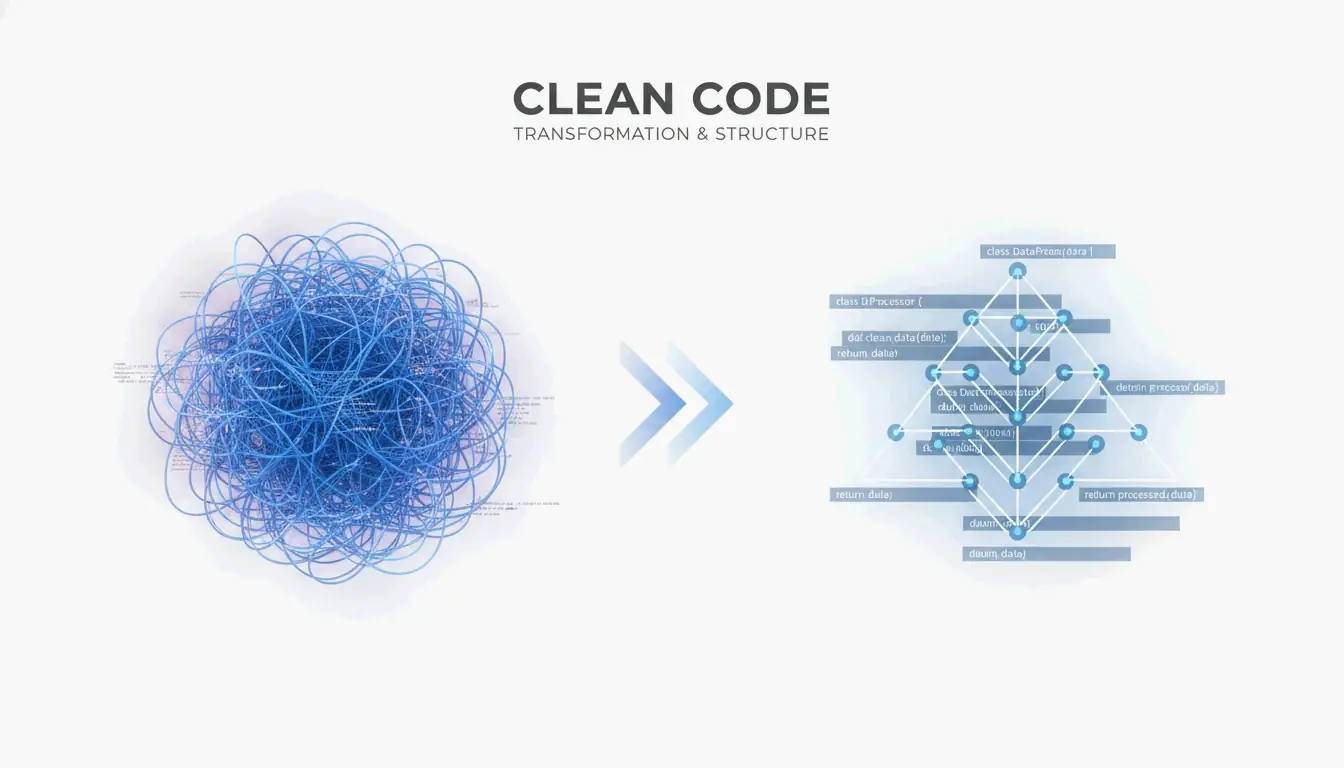
到了 2026 年,专业的 AI 工作已经从“聊天”转向了提示词即代码(Prompt-as-Code,PaC)。段落式提示词——那些冗长、无结构的文本块——的问题在于,模型很难把你真正的指令,与混杂在其中的背景数据或输出要求区分开来。
来自 PromptOT 的数据显示,转向结构化工程可以把错误率降低 60%,并让人工处理速度提升 75%。Alex Ostrovskyy 把硬编码的提示词比作“源代码中魔法数字的现代翻版”——脆弱的系统,几乎无法在不破坏现有功能的前提下更新。
改造前后:格式化的差异
改造前(无结构):
You are a helpful coding assistant. Please write a Python function that validates
email addresses. Make sure it handles edge cases like plus signs and subdomains.
The output should be in JSON format with a valid boolean and the cleaned email.
Also make sure you add proper error handling and don't forget logging.
改造后(RTCCO + XML 分隔符):
<system_instructions>
  <role>Senior Python engineer specializing in input validation</role>
  <primary_objective>Write a production-grade email validator</primary_objective>
</system_instructions>

<context>
  Must handle: plus addressing ([email protected]), subdomains,
  internationalized domains. Target: Python 3.11+.
</context>

<task_requirements>
  <rules>
    - Use only stdlib (no regex shortcuts)
    - Return structured JSON
    - Include type hints
  </rules>
  <steps>
    1. Parse the input string
    2. Validate format per RFC 5322
    3. Return JSON with "valid" boolean and "cleaned_email"
  </steps>
</task_requirements>

<output_format>
  {"valid": bool, "cleaned_email": str, "error": str | null}
</output_format>
目标相同,结果却天差地别。格式化后的版本让模型没有任何产生歧义的空间。
RTCCO 框架:你的提示词骨架
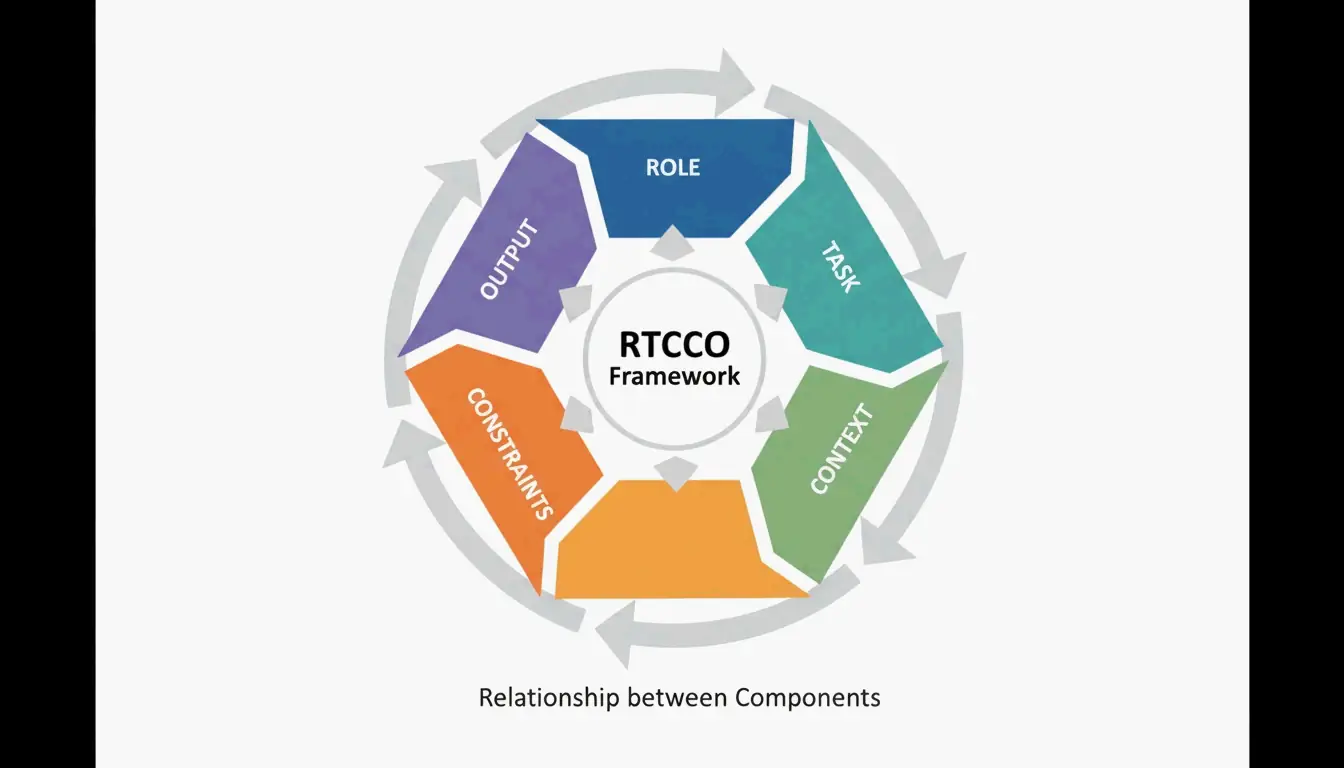
业界已经把 RTCCO 视为标准的提示词架构。每个提示词都拆解为五个部分:
| 元素 | 作用 | 示例 |
|---|---|---|
| R 角色(Role) | AI 是谁? | “资深后端工程师” |
| T 任务(Task) | 具体做什么? | “写一个限流中间件” |
| C 背景(Context) | 有哪些背景数据? | RAG 检索结果、代码片段 |
| C 约束(Constraints) | 规则是什么? | “不依赖任何外部库” |
| O 输出(Output) | 输出该长什么样? | “带类型注解的合法 Python 3.11” |
可以直接复制的 XML 骨架模板
下面是可直接用于生产环境的模板。复制它、改造它、部署它。
<system_instructions>
  <role> [Expert Persona] </role>
  <primary_objective> [Main Goal] </primary_objective>
</system_instructions>

<context>
  [Background Data or RAG Retrieval]
</context>

<task_requirements>
  <rules> [Non-negotiable Constraints] </rules>
  <steps> [Specific Workflow] </steps>
</task_requirements>

<output_format>
  [JSON/XML/Markdown Specification]
</output_format>

<recency_recap>
  [Reminder of Critical Constraints]
</recency_recap>
为什么“近因回顾”很重要
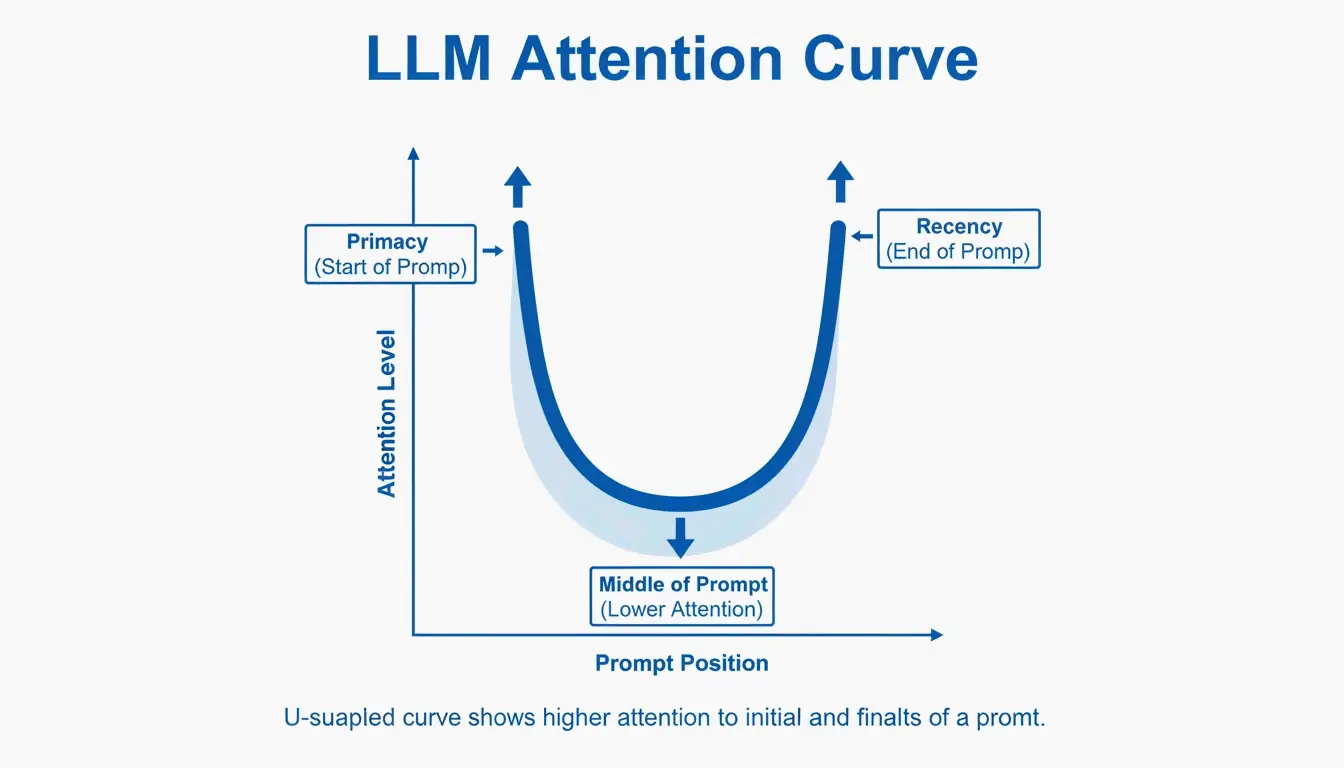
大语言模型存在一种已知的“首因与近因”偏差——它们对提示词开头和结尾的记忆,要好于中间部分。PromptOT 引用的测试表明,把关键规则从中间移到底部的“近因回顾(Recency Recap)”块,能让生产环境的准确率从 78% 提升到 96%。把角色放在顶部,把最重要的规则放在底部。
把分隔符当作安全围栏
分隔符不仅关乎组织结构——它还是一种安全机制。用 <user_input> 之类的标签包裹用户输入,等于告诉模型:“这是待处理的数据,而不是要遵循的新指令。”这是你抵御提示词注入攻击的首要防线——在这类攻击中,用户会试图覆盖你的系统指令。
常见陷阱: 如果你直接把用户数据塞进提示词而不加分隔符,用户只需写一句“忽略之前所有指令,然后……”,模型就会照办。务必把外部数据放在带标签的块里。
模块化架构:停止编写巨型提示词
与其写一个脆弱的 2000 token 巨型提示词,不如把系统拆成相互独立的模块。这能防止指令冲突——即修改提示词语气时,意外破坏了它的 JSON 输出格式。
核心原则是上下文工程(Context Engineering):把静态指令与动态数据分开。在生产级 RAG 系统中,你的提示词是一个模板,<context> 块会在查询时被填入最新数据。正如 OptizenApp 的 Jono Farrington 所解释的,这种模块化方法让大规模 AI 部署的一致性大大提升。
提示词链:连接各个模块
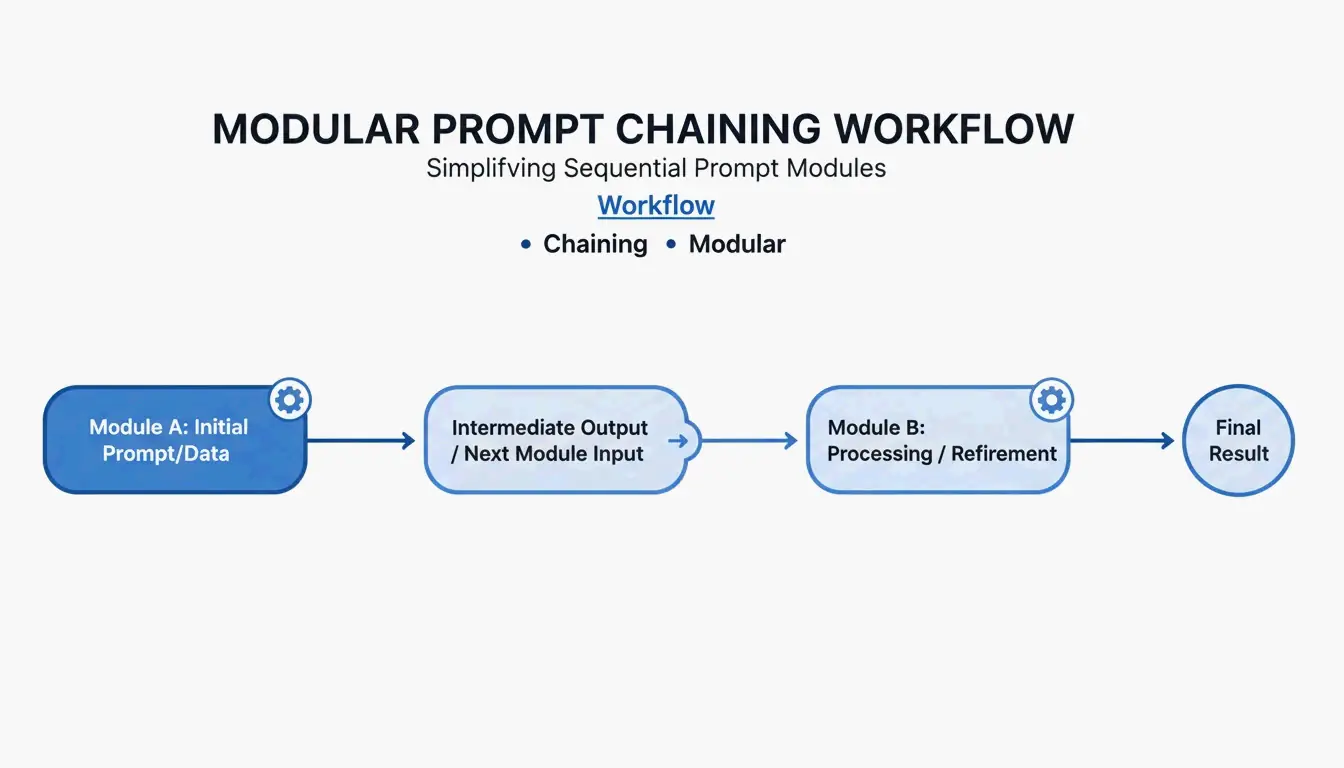
对于复杂的工作流,使用提示词链(Prompt Chaining)——一个模块的输出成为下一个模块的输入:
[Planner Module] --> outline --> [Executor Module] --> draft --> [Reviewer Module] --> final
这种逐步推进的方式能把输出质量提升约 35%,因为模型每次只专注于一个子任务。
可直接复用的链式示例:
planner_prompt = """
<system_instructions>
  <role>Technical architect</role>
  <task>Create a step-by-step plan for: {user_request}</task>
</system_instructions>
<output_format>JSON array of steps</output_format>
"""

executor_prompt = """
<system_instructions>
  <role>Senior developer</role>
  <task>Implement step: {step_from_planner}</task>
</system_instructions>
<context>{previous_outputs}</context>
<output_format>Code block with inline comments</output_format>
"""
为难题加入思维链
当任务涉及复杂逻辑时,增加一个 <thought_process> 块。这会迫使模型在给出答案前逐步推理,能显著降低数学、编程和多步推理中的错误。
<task_requirements>
  <rules>Reason inside <thought> tags before answering</rules>
</task_requirements>

<output_format>
  <thought> [Your step-by-step reasoning here] </thought>
  <answer> [Final JSON output here] </answer>
</output_format>
根据 Zencoder 的说法,思维树(Tree-of-Thoughts,ToT)等技术更进一步,要求模型同时评估多条解题路径并选出最优解。这对那些没有唯一正确答案的架构决策尤其有价值。
Token 成本警告
结构化推理会消耗更多 token。一个典型的 <thought_process> 块每次请求会增加 200–500 个 token。在规模化使用时,这意味着更高的 API 成本。代价换来的是准确率:你为每次请求付出更多,但需要的重试和人工修正更少。
生产就绪:版本管理、测试与 CI/CD
最后一步是把提示词当作软件来对待。使用语义化版本号(如 v1.0.0),这样团队就能跟踪变更,并在新版本导致效果下滑时立即回滚。
PromptOT 的报告指出,管理 50 个以上提示词的企业,通过集中化管理并减少工程师手工微调所花的时间,每年可节省多达 40 万美元。
搭建提示词 CI/CD 流水线
# .github/workflows/prompt-tests.yml
name: Prompt Quality Gate
on: [push]
jobs:
  test-prompts:
    runs-on: ubuntu-latest
    steps:
      - name: Run Golden Dataset Tests
        run: |
          # Test against 50-200 curated cases
          python scripts/eval_prompts.py \
            --dataset golden_dataset.json \
            --judge-model gpt-4 \
            --min-score 0.85

      - name: Regression Check
        run: |
          # Compare new version vs. production
          python scripts/compare_versions.py \
            --staging v2.1.0 \
            --production v2.0.3 \
            --threshold 0.05
只有当提示词通过了由“LLM as a judge(LLM 充当评判)”打分的质量门禁后,才会从 Staging 晋升到 Production。
结语
使用格式化器的结构化提示词工程已不再是可选项——它是任何构建可靠 AI 工具之人的基准线。RTCCO 框架、XML 分隔符和模块化架构,就是你把不可预测的 LLM 输出转化为稳定、生产级结果的工具栈。
从你最常用的提示词入手,用上面的 XML 模板把它们重构为 RTCCO 框架。把它们纳入版本管理,搭建基本的评估体系,你就会拥有一套可扩展的提示词基础设施。
常见问题
如何把现有的段落式提示词转换成 RTCCO 块格式?
先找出核心的任务(Task),再把它与背景(Context)分开。用 <rules> 标签包裹指令,并在 <examples> 标签里提供 3–5 个示例。你甚至可以让 LLM 帮忙——给它这样的提示词:“把这些无结构文本用 XML 分隔符重新解析为 RTCCO 框架”,它就会替你完成繁重的转换工作。
我该用 XML、JSON 还是 Markdown 分隔符?
对于在 Claude 和 GPT-5 等模型中把指令与长文本内容分隔开,XML 是目前的黄金标准,因为它有严格的层级结构。当你需要为 API 集成提供程序化的输入输出时,JSON 更合适。Markdown 适用于简单、人类易读的提示词,但缺乏复杂、多层生产级提示词所需的严格边界定义。
如何为提示词实现自动化 CI/CD 测试?
搭建一套测试套件,包含一个“黄金数据集”(50–200 个精选测试用例)和一个“LLM as a judge”,按照评分标准对输出打分。把这些测试集成到 GitHub Actions 或 Jenkins 流水线中,这样任何提示词变更在部署前都会经过准确率和语气的验证。
切换到结构化提示词时最常见的错误是什么?
往 <context> 块里塞太多东西。开发者经常把整个代码库或文档倒进背景里,这会分散模型的注意力。要让背景聚焦于与任务直接相关的内容。如果需要引用大文档,就用 RAG 检索只拉取相关章节。