포매터로 AI 프롬프트 작성하기: 개발자를 위한 구조화 엔지니어링
AI 출력이 요청한 것과 전혀 다를 때의 그 좌절감을 아실 겁니다. JSON은 깨지고, 톤은 엇나가고, 지시의 절반은 무시됩니다. 문제는 모델이 아니라 프롬프트를 어떻게 포맷하고 있는가에 있습니다.
포매터로 AI 프롬프트를 작성하는 법을 익히려면, XML이나 JSON 같은 구조화 구분자를 사용해 RTCCO 프레임워크(역할·태스크·문맥·제약·출력)를 구현하세요. 이렇게 하면 프롬프트를 모듈화된 소프트웨어 자산으로 다룰 수 있어, 2026년 5월 기준으로 모델 환각을 최대 60%까지 줄이고 수동 처리 시간을 75% 단축할 수 있습니다.
문단식 프롬프트가 계속 실패하는 이유
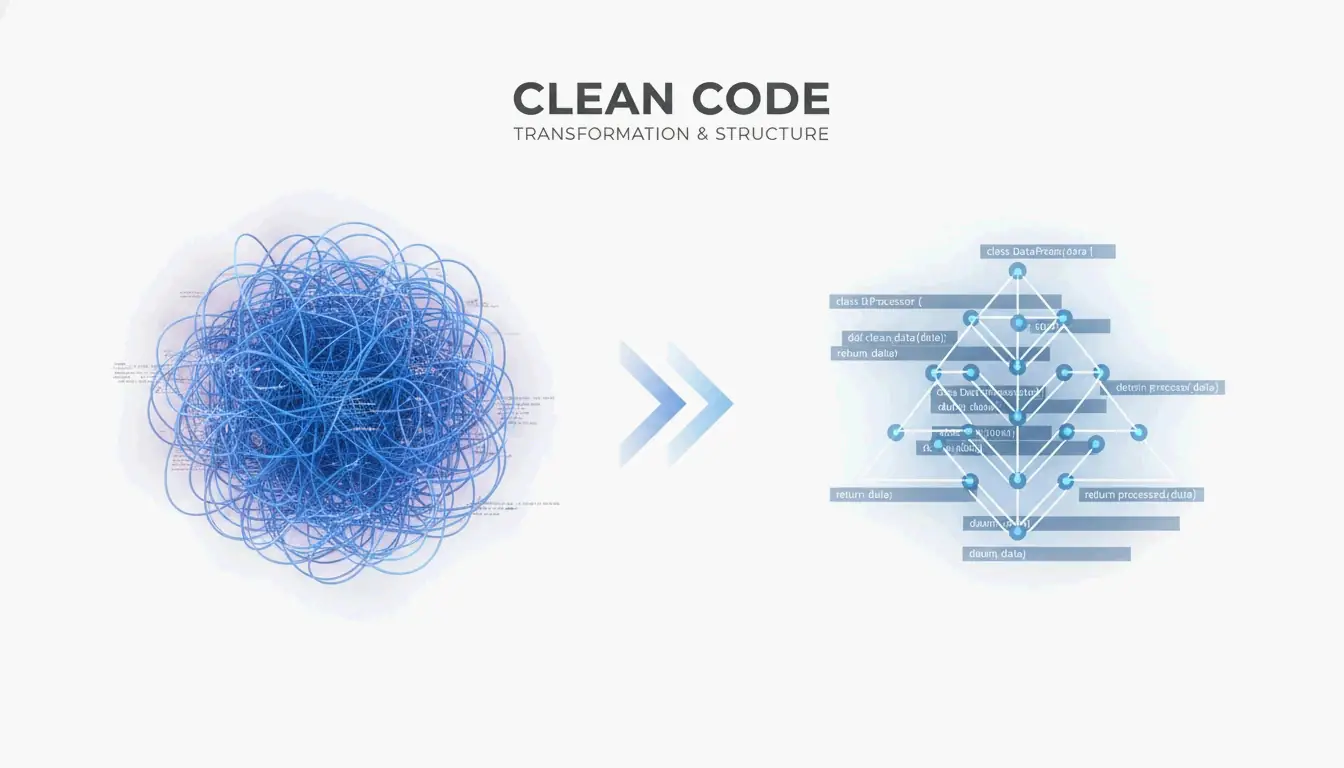
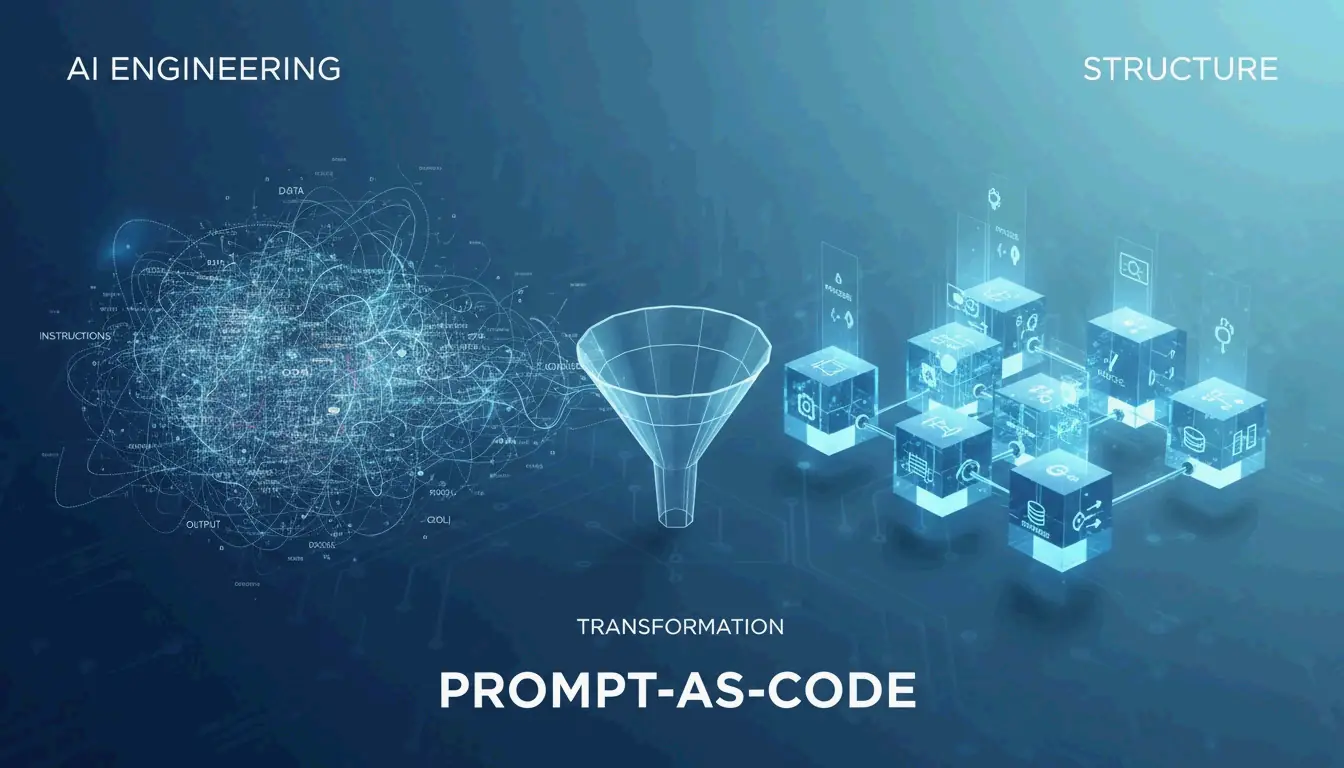
2026년에 이르러 전문적인 AI 작업은 “채팅”에서 프롬프트 즉 코드(Prompt-as-Code, PaC)로 이동했습니다. 문단식 프롬프트, 즉 길고 구조 없는 텍스트 블록의 문제는 모델이 실제 지시와 그 안에 섞여 있는 배경 데이터나 출력 요구사항을 분리하기 어렵다는 데 있습니다.
PromptOT의 데이터에 따르면, 구조화 엔지니어링으로 전환하면 오류를 60% 줄이고 수동 처리 속도를 75% 높일 수 있습니다. Alex Ostrovskyy는 하드코딩된 프롬프트를 “소스코드의 매직 넘버에 해당하는 현실판”이라고 묘사합니다. 무언가를 망가뜨리지 않고는 거의 업데이트할 수 없는 취약한 시스템이죠.
변경 전후: 포맷팅의 차이
변경 전(구조 없음):
You are a helpful coding assistant. Please write a Python function that validates
email addresses. Make sure it handles edge cases like plus signs and subdomains.
The output should be in JSON format with a valid boolean and the cleaned email.
Also make sure you add proper error handling and don't forget logging.
변경 후(RTCCO + XML 구분자):
<system_instructions>
  <role>Senior Python engineer specializing in input validation</role>
  <primary_objective>Write a production-grade email validator</primary_objective>
</system_instructions>

<context>
  Must handle: plus addressing ([email protected]), subdomains,
  internationalized domains. Target: Python 3.11+.
</context>

<task_requirements>
  <rules>
    - Use only stdlib (no regex shortcuts)
    - Return structured JSON
    - Include type hints
  </rules>
  <steps>
    1. Parse the input string
    2. Validate format per RFC 5322
    3. Return JSON with "valid" boolean and "cleaned_email"
  </steps>
</task_requirements>

<output_format>
  {"valid": bool, "cleaned_email": str, "error": str | null}
</output_format>
같은 목표, 결과는 하늘과 땅 차이입니다. 포맷된 버전은 모델에게 모호함의 여지를 주지 않습니다.
RTCCO 프레임워크: 프롬프트의 뼈대
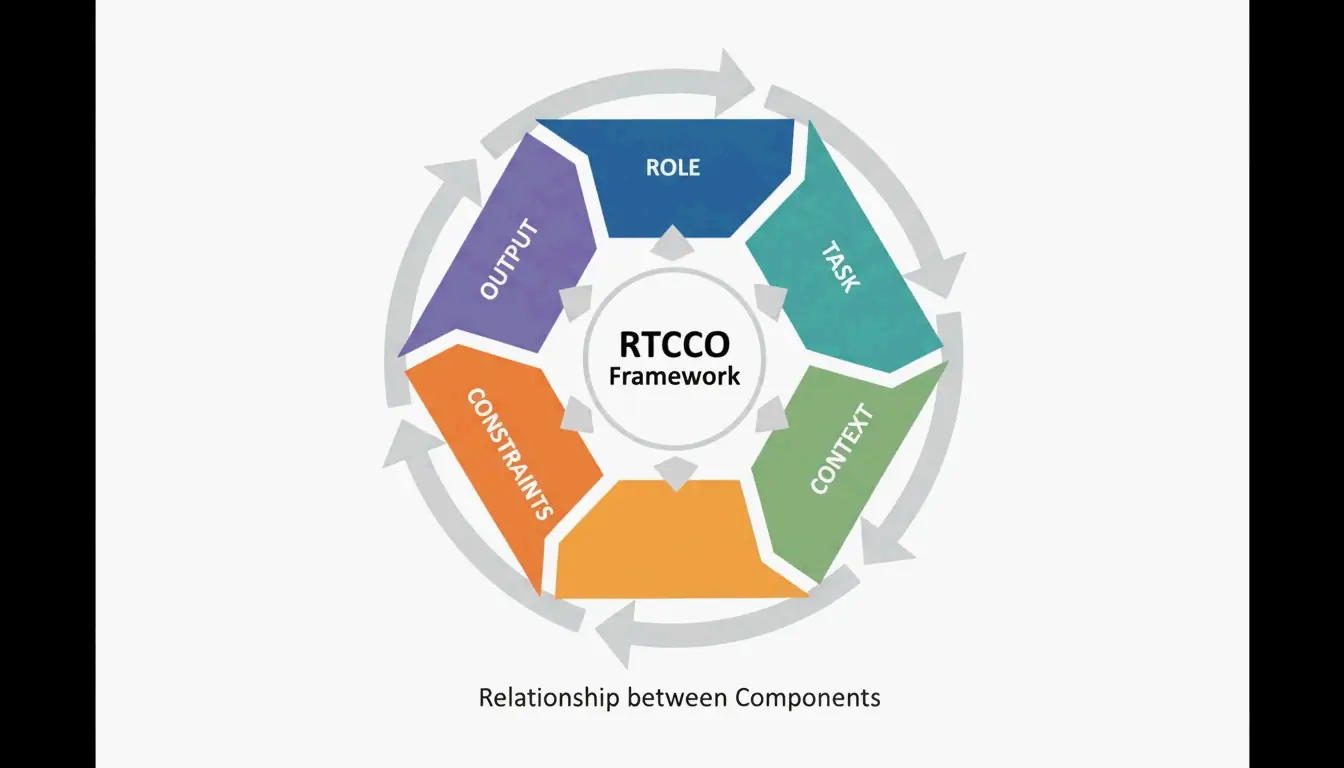
업계는 RTCCO를 표준 프롬프트 아키텍처로 수렴했습니다. 모든 프롬프트는 다섯 부분으로 쪼개집니다.
| 요소 | 용도 | 예시 |
|---|---|---|
| R 역할(Role) | AI는 누구인가? | “시니어 백엔드 엔지니어” |
| T 태스크(Task) | 구체적으로 무엇을? | “속도 제한 미들웨어 작성” |
| C 문맥(Context) | 어떤 배경 데이터? | RAG 검색 결과, 코드베이스 조각 |
| C 제약(Constraints) | 규칙은 무엇? | “외부 의존성 없음” |
| O 출력(Output) | 어떤 형태여야? | “타입 힌트가 있는 유효한 Python 3.11” |
당장 복사할 수 있는 XML 뼈대 템플릿
다음은 프로덕션에 바로 쓸 수 있는 템플릿입니다. 복사하고, 다듬고, 배포하세요.
<system_instructions>
  <role> [Expert Persona] </role>
  <primary_objective> [Main Goal] </primary_objective>
</system_instructions>

<context>
  [Background Data or RAG Retrieval]
</context>

<task_requirements>
  <rules> [Non-negotiable Constraints] </rules>
  <steps> [Specific Workflow] </steps>
</task_requirements>

<output_format>
  [JSON/XML/Markdown Specification]
</output_format>

<recency_recap>
  [Reminder of Critical Constraints]
</recency_recap>
최근성 요약이 중요한 이유
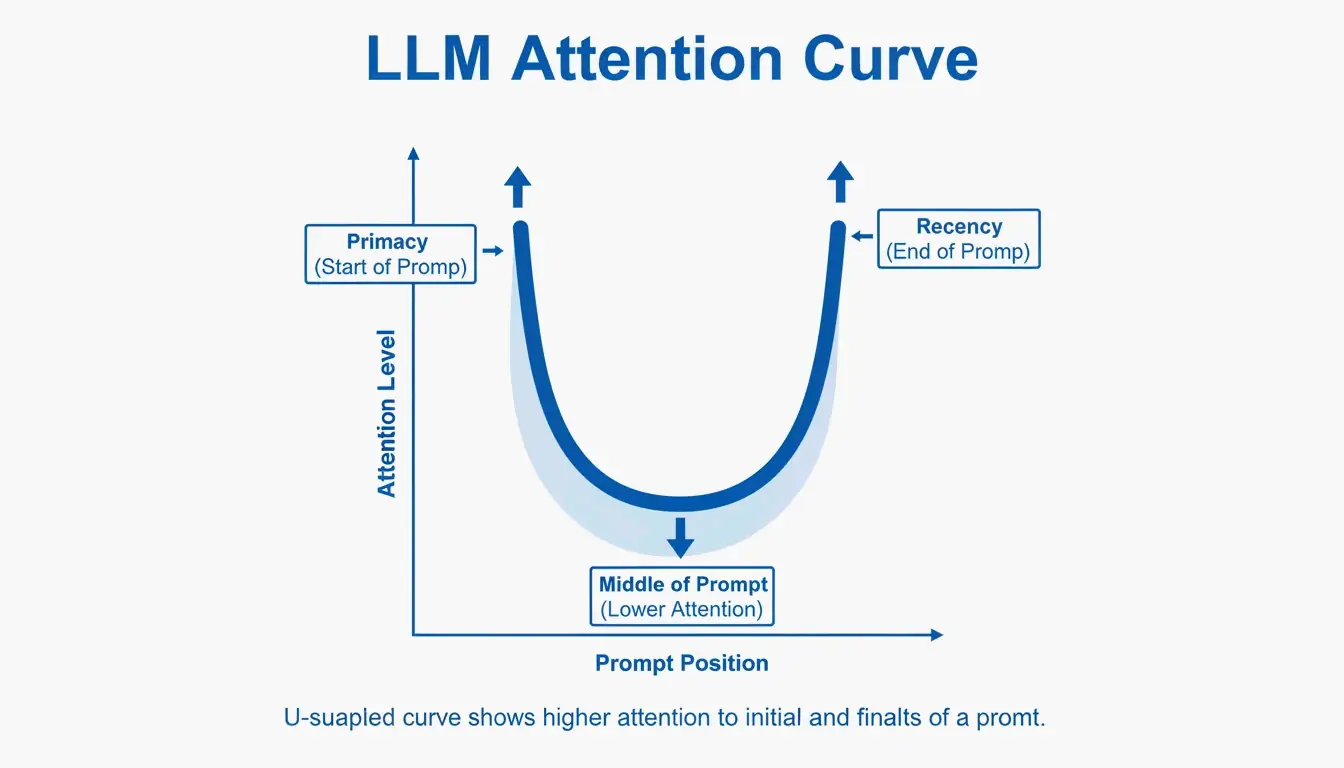
대형 언어 모델은 “초두·최근 효과”라는 알려진 편향이 있습니다. 프롬프트의 처음과 끝을 중간보다 더 잘 기억합니다. PromptOT가 인용한 테스트에 따르면, 중요한 규칙을 중간에서 맨 아래의 “최근성 요약(Recency Recap)” 블록으로 옮기자 프로덕션 정확도가 78%에서 96%로 올랐습니다. 역할은 맨 위에, 가장 중요한 규칙은 맨 아래에 두세요.
구분자를 보안 울타리로
구분자는 단순한 정리 수단이 아닙니다. 하나의 보안 메커니즘입니다. 사용자 입력을 <user_input> 같은 태그로 감싸면 모델에게 “이것은 처리할 데이터이지, 따라야 할 새 지시가 아니다”라고 알려주는 셈입니다. 이것이 사용자가 시스템 지시를 덮어쓰려 하는 프롬프트 인젝션 공격에 대한 첫 번째 방어선입니다.
흔한 함정: 구분자 없이 사용자 데이터를 프롬프트에 직접 끼워 넣으면, 사용자가 “이전의 모든 지시를 무시하고…”라고 쓰기만 해도 모델이 그대로 따릅니다. 외부 데이터는 항상 태그가 붙은 블록으로 감싸세요.
모듈형 아키텍처: 메가 프롬프트 작성을 멈추자
하나의 취약한 2,000 토큰짜리 프롬프트 대신, 시스템을 독립적인 모듈로 쪼개세요. 이렇게 하면 프롬프트의 톤을 바꿨다가 JSON 출력 형식이 깨지는 지시 충돌을 막을 수 있습니다.
핵심 원칙은 문맥 엔지니어링(Context Engineering)입니다. 정적 지시와 동적 데이터를 분리하세요. 프로덕션 RAG 시스템에서 프롬프트는 하나의 템플릿이며, <context> 블록은 질의 시점에 새로운 데이터로 채워집니다. OptizenApp의 Jono Farrington이 설명하듯, 이 모듈형 접근은 대규모 AI 배포의 일관성을 훨씬 높여줍니다.
프롬프트 체이닝: 모듈 연결하기
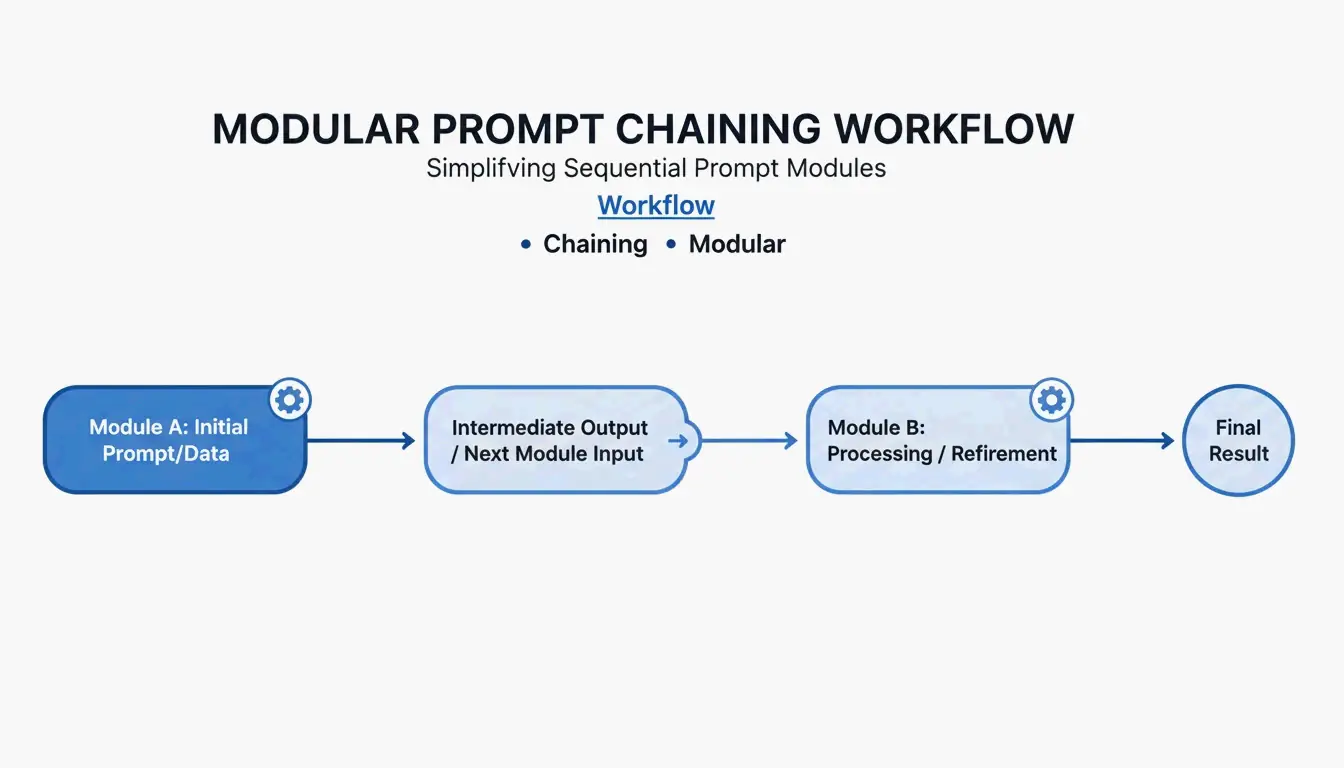
복잡한 워크플로에는 프롬프트 체이닝(Prompt Chaining)을 사용하세요. 한 모듈의 출력이 다음 모듈의 입력이 됩니다.
[Planner Module] --> outline --> [Executor Module] --> draft --> [Reviewer Module] --> final
이 단계별 방식은 모델이 한 번에 하나의 하위 태스크에만 집중하기 때문에 출력 품질을 약 35% 향상시킵니다.
복사해서 쓰는 체이닝 예시:
planner_prompt = """
<system_instructions>
  <role>Technical architect</role>
  <task>Create a step-by-step plan for: {user_request}</task>
</system_instructions>
<output_format>JSON array of steps</output_format>
"""

executor_prompt = """
<system_instructions>
  <role>Senior developer</role>
  <task>Implement step: {step_from_planner}</task>
</system_instructions>
<context>{previous_outputs}</context>
<output_format>Code block with inline comments</output_format>
"""
어려운 문제를 위한 사고열쇠(Chain-of-Thought) 추가
태스크에 복잡한 논리가 포함되면 <thought_process> 블록을 추가하세요. 이 블록은 모델이 답을 내놓기 전에 단계별로 추론하게 만들어 수학·코딩·다단계 추론에서의 오류를 크게 줄여줍니다.
<task_requirements>
  <rules>Reason inside <thought> tags before answering</rules>
</task_requirements>

<output_format>
  <thought> [Your step-by-step reasoning here] </thought>
  <answer> [Final JSON output here] </answer>
</output_format>
Zencoder에 따르면, 사고의 나무(Tree-of-Thoughts, ToT) 같은 기술은 이를 더 밀어붙여 모델이 여러 해결 경로를 동시에 평가하고 최선을 고르도록 요구합니다. 이는 정답이 하나가 아닌 아키텍처 결정에서 특히 가치가 있습니다.
토큰 비용 경고
구조화된 추론은 토큰을 더 소모합니다. 일반적인 <thought_process> 블록은 요청마다 200~500 토큰을 추가합니다. 대규모에서는 API 비용 상승으로 이어집니다. 교환은 정확도입니다. 요청당 더 내되 재시도와 수동 수정은 줄어듭니다.
프로덕션 준비: 버전 관리, 테스트, CI/CD
마지막 단계는 프롬프트를 소프트웨어처럼 대하는 것입니다. 시맨틱 버저닝(v1.0.0)을 사용해 팀이 변경 사항을 추적하고, 새 프롬프트 버전이 성능을 떨어뜨릴 때 즉시 롤백할 수 있게 하세요.
PromptOT는 50개 이상의 프롬프트를 관리하는 기업이 관리를 중앙화하고 엔지니어의 수동 미세 조정 시간을 줄여 연간 최대 40만 달러를 절약할 수 있다고 보고합니다.
프롬프트 CI/CD 파이프라인 구축
# .github/workflows/prompt-tests.yml
name: Prompt Quality Gate
on: [push]
jobs:
  test-prompts:
    runs-on: ubuntu-latest
    steps:
      - name: Run Golden Dataset Tests
        run: |
          # Test against 50-200 curated cases
          python scripts/eval_prompts.py \
            --dataset golden_dataset.json \
            --judge-model gpt-4 \
            --min-score 0.85

      - name: Regression Check
        run: |
          # Compare new version vs. production
          python scripts/compare_versions.py \
            --staging v2.1.0 \
            --production v2.0.3 \
            --threshold 0.05
프롬프트는 “LLM-as-a-judge”가 채점하는 이 품질 게이트를 통과해야만 Staging에서 Production으로 승급됩니다.
결론
포매터를 활용한 구조화 프롬프트 엔지니어링은 더 이상 선택이 아닙니다. 신뢰할 수 있는 AI 도구를 만드는 모두를 위한 기본기입니다. RTCCO 프레임워크, XML 구분자, 모듈형 아키텍처가 예측 불가능한 LLM 출력을 일관되고 프로덕션급 결과로 바꾸는 당신의 스택입니다.
가장 자주 쓰는 프롬프트부터 시작해 위의 XML 템플릿으로 RTCCO 프레임워크에 맞게 리팩터링하세요. 버전 관리에 넣고, 기본 평가를 세팅하면, 확장 가능한 프롬프트 인프라가 완성됩니다.
자주 묻는 질문
기존 문단식 프롬프트를 RTCCO 블록 형식으로 어떻게 바꾸나요?
먼저 핵심 태스크(Task)를 식별하고 그것을 문맥(Context)에서 분리하세요. 지시는 <rules> 태그로 감싸고, <examples> 태그에 3~5개 예시를 제공합니다. LLM의 도움을 받을 수도 있습니다. “이 비정형 텍스트를 XML 구분자로 RTCCO 프레임워크에 맞게 다시 파싱해 줘”라고 프롬프트하면 무거운 작업을 대신 처리해 줍니다.
XML, JSON, Markdown 구분자 중 무엇을 써야 하나요?
Claude과 GPT-5 같은 모델에서 긴 콘텐츠와 지시를 분리할 때 XML이 엄격한 계층 구조 덕분에 현재의 황금 표준입니다. API 통합을 위한 프로그래밍 방식의 입출력이 필요하면 JSON이 더 낫습니다. Markdown은 단순하고 사람이 읽기 쉬운 프롬프트에 적합하지만, 복잡하고 다층적인 프로덕션 프롬프트에 필요한 엄격한 경계 정의가 부족합니다.
프롬프트에 대한 자동화된 CI/CD 테스트는 어떻게 구현하나요?
“골든 데이터셋”(50~200개의 엄선된 테스트 케이스)과 출력을 루브릭 기준으로 채점하는 “LLM-as-a-judge”로 구성된 테스트 스위트를 구축하세요. 이 테스트들을 GitHub Actions나 Jenkins 파이프라인에 통합하면, 프롬프트 변경 사항이 배포 전에 정확도와 톤 면에서 검증됩니다.
구조화 프롬프트로 전환할 때 가장 흔한 실수는 무엇인가요?
<context> 블록에 너무 많은 것을 쑤셔넣는 것입니다. 개발자들은 종종 전체 코드베이스나 문서를 문맥에 쏟아붓는데, 이는 모델의 주의를 희석시킵니다. 문맥은 태스크와 직접적으로 관련된 것에만 집중시키세요. 대형 문서를 참조해야 한다면 RAG 검색으로 관련 섹션만 가져오세요.